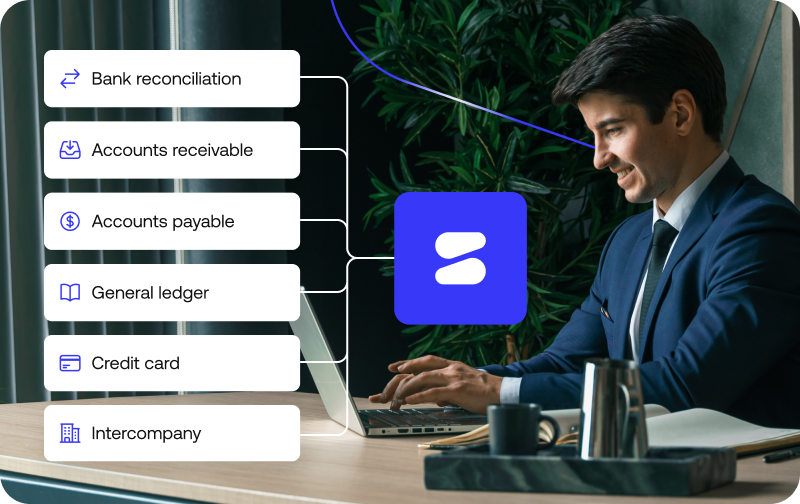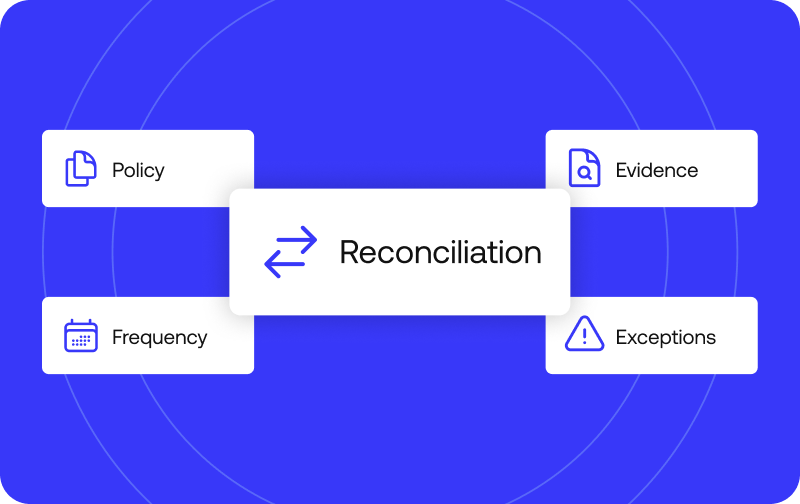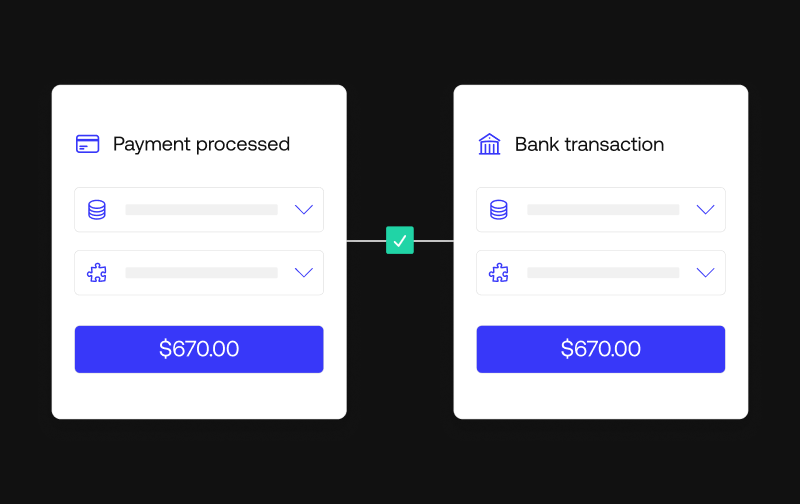
Automatic reconciliation software works by pulling transaction data from every connected source, matching it against rules and machine learning models, and flagging anything that doesn’t match for review.
The result is a reconciled, audit-ready set of books without someone checking each line by hand.
The sections below walk through the six-step engine behind automatic reconciliation software, what it actually reconciles in practice, and why the mechanism matters for month-end close, compliance, and scale.
How automatic reconciliation software works: the engine, step by step
So how does automatic reconciliation software work in practice?
Raw data becomes a reconciled, audit-ready set of books through six steps, not one black box.
Step 1: Connecting data sources: bank feeds, APIs, and subledgers
The mechanism starts with connection, not matching.
Bank feeds, APIs, payment processors, and subledgers all feed into the platform, typically through no-code connectors instead of custom-built integrations that need an engineering team to maintain every time a source changes.
That includes data integration with whatever ERP a company already runs, such as NetSuite, so the reconciliation engine has a live, direct line to the numbers instead of a periodic export someone remembers to run.
Simetrik, for example, offers 5000+ integrations with payment processors, card networks, banks, and ERPs through no-code connectors.
Step 2: Applying matching rules and matching logic
Once the data is flowing, most engines apply matching rules first: same amount, same date, same reference.
That matching logic resolves the majority of a business’s day-to-day volume (the straightforward payment that shows up identically on both sides of the ledger) without needing anything smarter than a lookup. This is the simplest form of transaction matching.
Step 3: Machine learning and agentic AI in the matching engine
Rules handle structured, repeatable scenarios well.
But real-world reconciliation also includes cases that don’t fit neatly into fixed matching logic. That’s where machine learning and agentic AI come in: instead of waiting for someone to write a new rule for every variation, the model identifies patterns that don’t follow a fixed structure and suggests likely matches.
Simetrik’s engine, for instance, combines entity-level matching rules with AI-suggested mappings and automatic handling of FX differences.
Step 4: Handling exceptions: unmatched and flagged transactions
Whatever neither the rules nor the model can resolve doesn’t just disappear.
It becomes an unmatched transaction or a flagged exception, and gets routed to a review queue instead of getting buried in a spreadsheet somewhere.
That queue is where exception handling actually happens: someone looks at what didn’t match, resolves it, and that resolution becomes part of the record instead of a one-off fix nobody can find later.
Simetrik routes exceptions through automatic alerts and agent-driven workflows, with built-in fraud detection within that same flow.
Step 5: Building the audit trail and posting journal entries
Every reconciled transaction, whether it matched automatically or got resolved by a person, leaves an audit trail back to where it came from.
From there, the system can post journal entries and accruals directly to the general ledger, instead of a person re-entering by hand what the reconciliation already confirmed.
Step 6: Feeding continuous close and reporting
Once the data is reconciled, reporting stops being something that happens once a month. It can be watched in close to real time, which is what actually supports a continuous close instead of a days-long sprint at the end of the period.
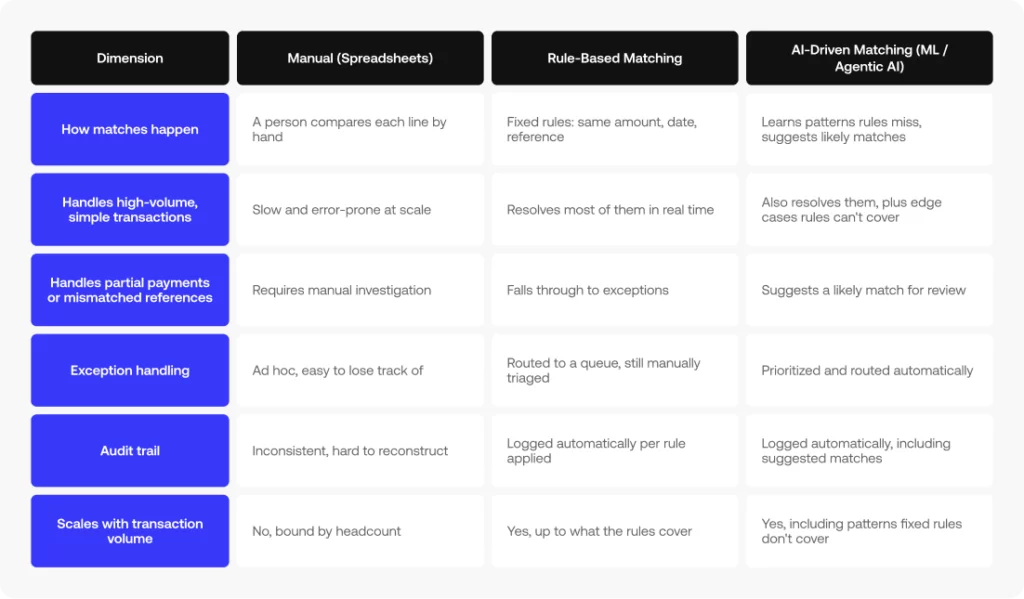
Manual vs. rule-based vs. AI-driven matching, at a glance
Steps 2 and 3 above are really two different eras of the same job. Here’s how the three approaches actually compare:
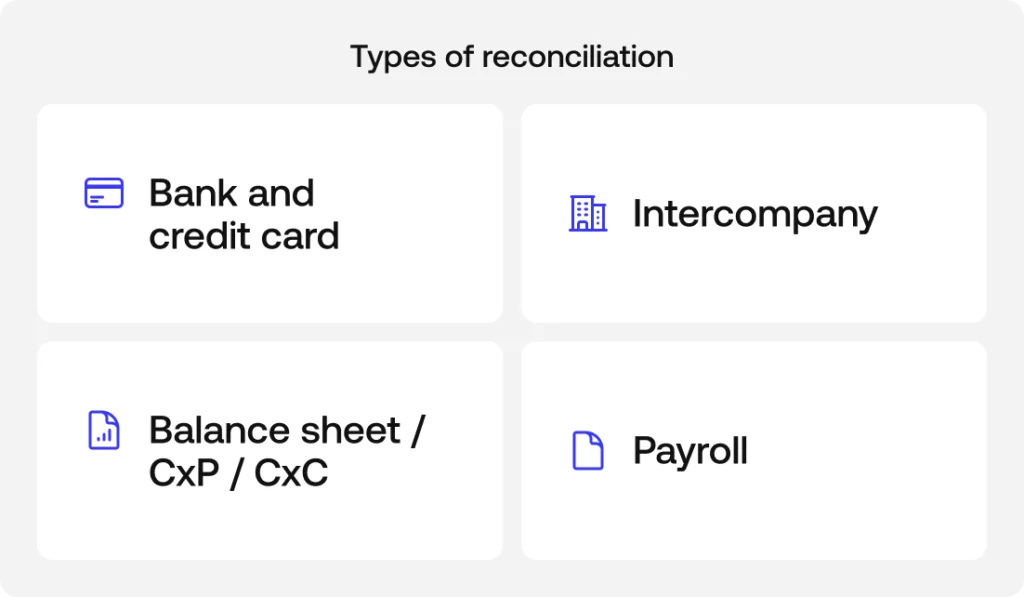
What automatic reconciliation software reconciles, in practice
That same matching engine applies across different types of reconciliation, each with its own data sources and edge cases.
Bank and credit card reconciliation
One of the most common use cases is matching bank statements and credit card transactions against the general ledger.
In practice, bank reconciliation and credit card reconciliation compare what the bank or card issuer says came in or went out with what the company recorded in its books.
Intercompany reconciliation
Intercompany reconciliation runs the same engine against a trickier problem: a transaction between two entities in the same corporate group has to match on both sides’ books, not just against an external source.
Intercompany accounts that don’t tie out between entities are a common source of quiet, recurring differences that only surface at consolidation.
Balance sheet, accounts payable, and accounts receivable reconciliation
Balance sheet reconciliation checks that each account’s balance actually reflects what happened during the period, not just what a spreadsheet says it should be.
Accounts payable and accounts receivable get the same treatment against real invoices and payments, catching a duplicate payment or a customer invoice that never got recorded before it turns into a bigger problem at close.
Payroll reconciliation
Payroll reconciliation matches what a company actually paid and recorded against payroll runs, catching differences (a missed adjustment, a benefits deduction that didn’t sync) before they reach the close instead of after.
How automatic reconciliation software speeds up month-end close
Automatic reconciliation isn’t just faster, it changes when problems get discovered. Instead of finding discrepancies during the close itself, the team can watch cash flow and run variance analysis over already-reconciled data throughout the month, and accruals get calculated on numbers that already tie out instead of numbers that might not.
That shift, from discovering problems at close to seeing them in real time, is what actually changes how long the accounting processes around month-end close take.
Automatic reconciliation software, audit trails, and regulatory compliance
The same audit trail left by every reconciled transaction is what supports regulatory compliance: every number in a report can be traced back to its source instead of taken on faith. That traceability cuts both ways. The same data layer that flags a transaction that doesn’t match can also flag a pattern that looks like fraud. Fraud detection and reconciliation run on the same underlying engine, not two separate systems bolted together.
Simetrik, for example, leaves exportable, traceable audit logs and includes built-in fraud detection within that same exception flow.
How automatic reconciliation software scales beyond manual reconciliation and spreadsheets
Manual accounting processes depend on a person reviewing every line, and that stops working the moment transaction volume grows faster than the team reviewing it.
An engine built on matching rules and machine learning can process increasing transaction volumes without requiring headcount to scale linearly with them.
As companies connect more systems (ERPs like NetSuite, banks, and payment processors), the reconciliation workload grows not only with transaction volume, but with the number of data sources involved.
That’s the kind of scale automatic reconciliation software is built to handle, versus a spreadsheet or a script someone maintains on the side.
Frequently asked questions
What is automatic reconciliation software?
Automatic reconciliation software matches transaction records across systems (bank feeds, payment processors, ERPs, and the general ledger) without someone comparing them line by line in a spreadsheet. It flags anything that doesn’t match for review instead of requiring a full manual check.
How does automatic reconciliation software match transactions?
Most tools apply matching rules first (same amount, date, and reference) and use machine learning or agentic AI for transactions that don’t follow a fixed pattern, like partial payments or mismatched references across sources.
What happens when automatic reconciliation software can’t match a transaction?
Unmatched or flagged transactions get routed to an exception queue instead of getting lost in a spreadsheet. Someone reviews and resolves them, and the resolution becomes part of the audit trail.
Does automatic reconciliation software replace manual bank reconciliation entirely?
It replaces the line-by-line comparison, not human judgment. Exceptions that don’t match automatically still need a person to review them; the software just narrows that pile down to the transactions that actually need attention.
How does automatic reconciliation software help with compliance and audits?
Every matched or resolved transaction leaves an audit trail back to its source, which is what auditors and regulators actually check. That same trail is also what makes it possible to trace patterns that look like fraud.
Is account reconciliation software the same as automated reconciliation software?
Mostly, yes. Both terms describe the same category of tool: something that matches transaction records across banks, processors, and the general ledger instead of a person checking each line. “Account” points to what’s being reconciled: an account’s balance or activity. “Automated” points to how it happens: through rules and machine learning instead of manual work.
Does automated reconciliation software improve scalability?
Yes. Scalability is the main thing that separates automated reconciliation from a spreadsheet or a script someone maintains on the side. A rules-and-ML engine can absorb more transaction volume and more connected data sources without needing headcount to grow at the same rate.
What is account reconciliation automation?
Account reconciliation automation pulls transaction data from every connected source, applies matching rules and machine learning to resolve the bulk of it automatically, and routes only the exceptions (transactions that don’t match) to a person for review. It replaces the manual comparison step, not the judgment step.
Next step: see automatic reconciliation software in action
Now that you know the full mechanism, from raw data to audit trail, the best way to evaluate it is to see it applied to your own sources. If you’re still comparing options, our guide on how to choose reconciliation software walks through the criteria, and you can also see how Simetrik stacks up against spreadsheets, in-house builds, and other tools.
See automatic reconciliation software in action
See this exact mechanism (connectors, matching rules, AI-suggested mappings, exceptions, and audit trails) run against your own data.