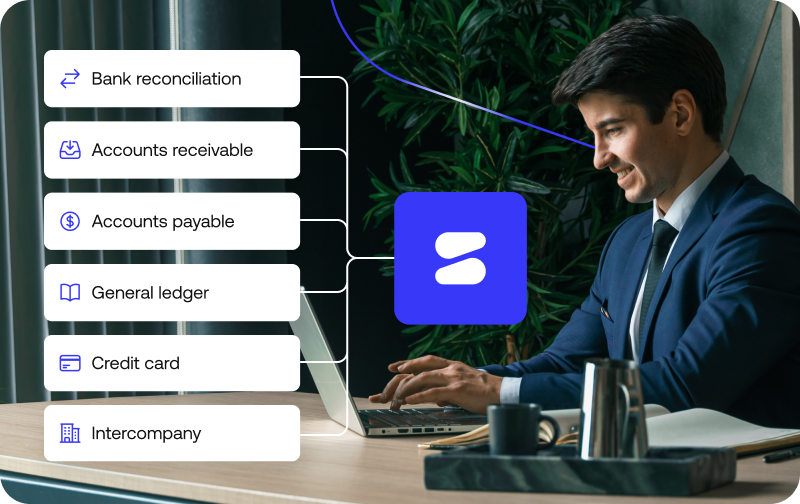
Choosing a reconciliation software comes down to one question: can it match your transactions at the level and volume you actually operate at? Start with automation depth and data coverage, then weigh controls, traceability, scalability, and time-to-value.
Every vendor call will tell you their tool is intelligent, fast, and easy to implement. None of that tells you whether it will hold up on your data, at your volume, under an audit.
This guide walks through the seven criteria that actually predict that, a checklist you can take into your own evaluation.
You’ll also find the questions worth asking vendors, the red flags to watch for, and how the right answer shifts depending on your team and industry.
What reconciliation software should do
Strip away the marketing language and the category does three things:
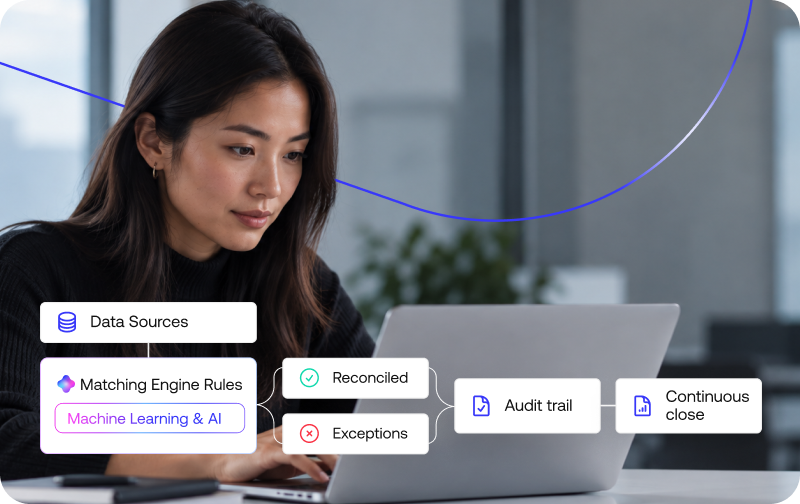
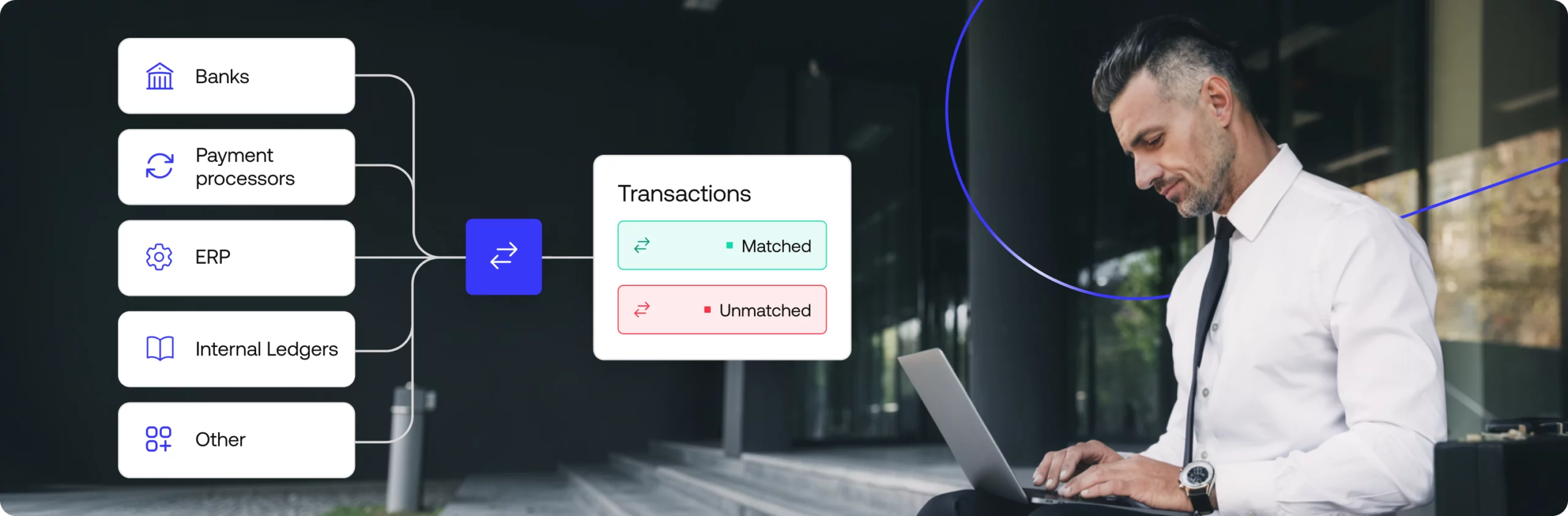
- It matches transactions and records across systems (bank statements, payment processors, ERPs, internal ledgers) without someone lining up rows in a spreadsheet by hand.
- It flags what doesn’t match.
- It keeps an audit trail of every match it makes through automated matching logic.
How deep that automation goes, and how much of the process it actually covers, is where tools start to differ. That’s what the criteria below are for.
For the fuller picture of how reconciliation fits into close and reporting, see what is financial close software.
How to choose reconciliation software: 7 criteria that matter
Seven criteria separate a reconciliation tool that scales with your business from one you’ll outgrow within a year.
1. Automation depth (rules-based vs. AI-driven matching)
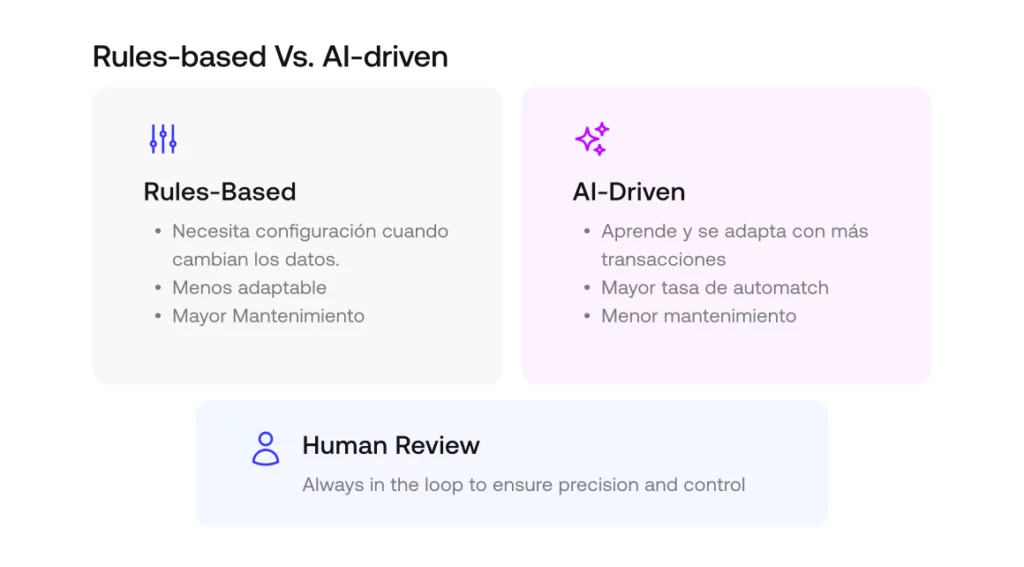
AI can genuinely help match your transactions, that part isn’t controversial.
Whether it should decide, unsupervised, what counts as reconciled every time the process runs is the real question, and the answer depends on how much risk you’re willing to accept without a clear trail back to why a match happened.
Some reconciliation automation relies on fixed rules that need to be reconfigured every time your data changes; other tools use AI or agentic matching that adapts as it processes more transactions.
Ask any vendor for their actual auto-match rate on data that looks like yours, not a generic benchmark, and ask what happens to the matches it can’t resolve on its own.
2. Transaction-level vs. trial-balance reconciliation
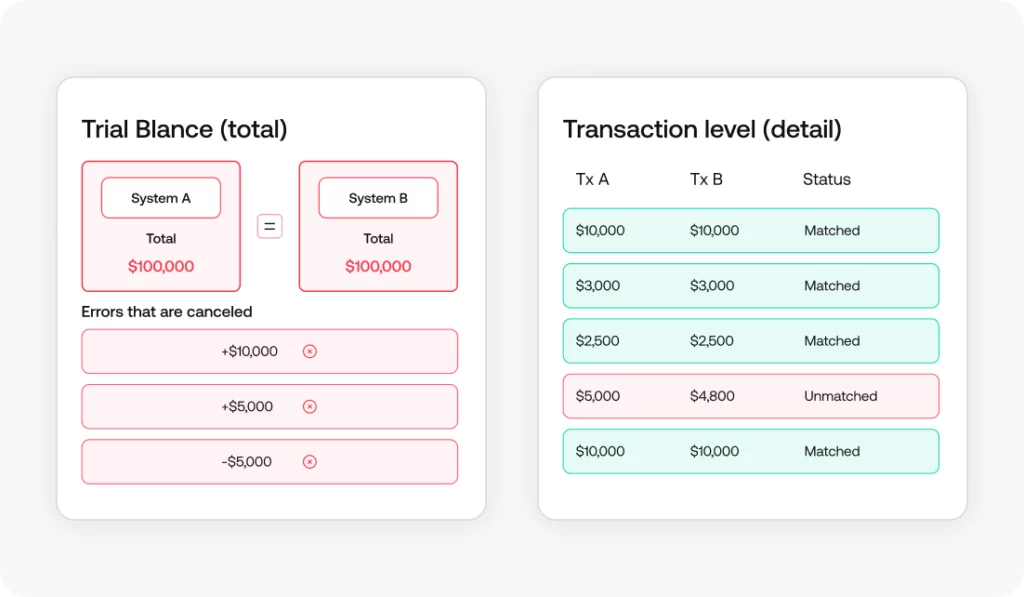
Two totals can match perfectly while the details underneath are wrong in ways that cancel each other out. That’s the risk with trial-balance reconciliation, which only confirms that summary balances agree.
Transaction-level reconciliation matches every individual transaction, so a discrepancy can be traced back to its source instead of just flagged as “off.” If your team needs to investigate differences rather than just confirm totals, this is one of the more consequential criteria on this list.
3. Data sources and ERP integration
A reconciliation tool is only as good as what it can actually see.
Check how many of your real data sources it connects to natively, from payment processors and banks to payment gateways and ERPs, and how.
No-code connectors and open APIs for ERP integration mean faster setup and less dependence on engineering time later. Ask what happens with a source that isn’t natively supported: is it a custom build, a manual workaround, or out of scope entirely?
4. Exception management and controls
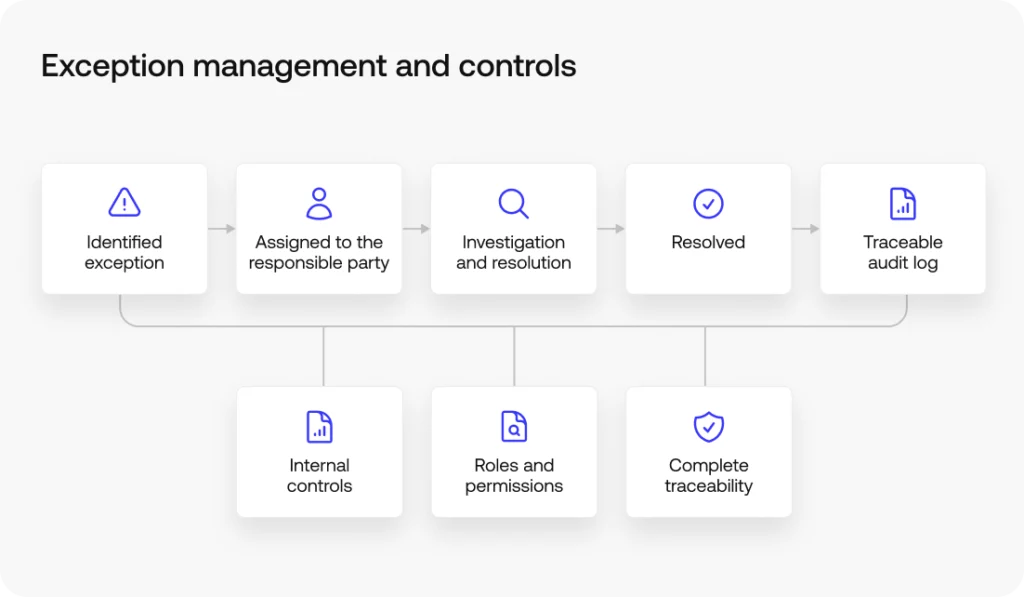
Reconciliation software should support exception management by routing exceptions to the right person, tracking how they’re resolved, and reinforcing internal controls like segregation of duties.
A static list of unmatched items that nobody owns doesn’t count as exception management.
Ask how exceptions are identified, whether resolution steps are logged, and how access is controlled by role.
5. Scalability for transaction volume
The tool that impressed everyone in the demo was tested on your current volume.
Ask what happens at two or three times that, because that’s the volume you’ll actually be running in a couple of years and scalability problems tend to surface quietly, as manual workarounds nobody planned for.
6. Security and audit-readiness
Look for role-based access, an immutable audit trail, and relevant security certifications, then push vendors to prove it rather than take their word for it.
Sample audit trails, certification documentation, and access control settings are all fair to request during evaluation.
7. Implementation time and ROI
“Go live in days” sounds great in a pitch deck and rarely survives contact with your actual data sources. Time-to-value depends on how many sources you’re connecting and whether implementation requires engineering support.
Ask for a realistic estimate based on your specific sources, then weigh ROI against that date rather than the one you saw in the demo.
A reconciliation software evaluation checklist
Use this reconciliation software comparison checklist to evaluate vendors side by side:
- Auto-match rate has been tested against data similar to yours, a vendor’s generic benchmark doesn’t count
- The tool supports transaction-level drill-down, beyond simple balance-level checks
- It connects natively to your actual data sources (processors, banks, ERPs)
- Exceptions are routed, tracked, and resolved with a visible audit trail
- Performance holds up at 2-3x your current transaction volume
- Security certifications and audit trail exports are available on request
- You have a realistic time-to-value estimate tied to your specific data sources
Build vs. buy: when to build reconciliation in-house
For a lot of finance teams, building reconciliation in-house was never really a decision, it’s just what happened, usually in a spreadsheet, when volume was low enough that nobody minded.
The cost shows up later: maintenance falls on whoever built it (often IT, not finance), there’s little to no audit trail, and the process doesn’t scale without adding headcount.
That doesn’t make buying automatically right for every team, it depends on your volume, your data complexity, and how much internal engineering time you’re willing to spend maintaining a homegrown process.
The point of asking the question explicitly, instead of defaulting to whatever you already have, is making sure the decision matches where the business is headed, not just where it is today.
See how Simetrik handles reconciliation at scale: Request a demo.
Questions to ask a reconciliation software vendor
Use these questions to get past the demo script:
Matching & coverage
- What’s your auto-match rate on data structured like ours?
- Can we drill down from a summary match to the individual transaction level?
- Which of our specific data sources do you connect to natively, and which require custom work?
- Do you use AI or machine learning in your matching logic? If so, how does it interact with deterministic controls and what happens to the audit trail when the model changes?
Exceptions & audit
- How are exceptions routed, and how are they resolved and logged?
- If a discrepancy surfaces during an audit, how does root-cause investigation work end to end, and who owns it?
- What security certifications do you hold, and can we see a sample audit trail?
Integration & architecture
- Can we connect via API or webhooks for real-time processing, not just batch file uploads?
Implementation & support
- What’s a realistic implementation timeline given our data sources?
- What ongoing support is included after go-live?
- How often do you release rule or platform updates, and does that require re-testing on our side?
Cost
- How does pricing scale with transaction volume?
Red flags when comparing reconciliation software
Not every red flag shows up in a feature comparison. Watch for:
- The tool only reconciles at the balance level, with no way to drill into transactions
- Any configuration change requires submitting a ticket to IT
- Audit trails exist but can’t be exported or reviewed independently
- Performance or accuracy drops noticeably as data volume increases
- Demos are run only on clean, “toy” datasets rather than data resembling yours
- Matching is entirely AI-driven, with no deterministic layer and no explainable audit trail.
Matching the software to your team and industry
There’s no universal answer to which criteria matter most, it depends on who’s using the reconciliation software.
A finance operations team processing high volumes from multiple payment processors will likely weigh automation depth and data source coverage heaviest.
An accounting team focused on month-end close may care more about exception management and audit-readiness.
Industry shifts the picture too: payment service providers and banks both need reconciliation that holds up across processors, acquirers, and bank statements, while retailers reconcile different types of transactions at different volumes, which changes which criteria carry the most weight in practice.
Frequently asked questions
What is the best reconciliation software?
There’s no single best tool.
The right one depends on your transaction volume, data sources, and whether you need transaction-level matching or just balance-level checks.
Use a criteria checklist rather than a generic ranking.
See how Simetrik approaches it.
How much does reconciliation software cost?
Pricing usually scales with transaction volume, data sources, and use cases rather than a flat license, so compare on total value and time-to-value, not just sticker price.
Ask vendors for a scoped quote.
Get a scoped estimate from Simetrik.
How long does reconciliation software take to implement?
It ranges from weeks to months depending on data sources and whether setup is no-code or requires engineering.
Pre-built connectors and templates shorten time-to-value; ask for a realistic timeline with your sources.
See how Simetrik scopes implementation
Next step: see reconciliation software in action
Once you have your own criteria and a shortlist of vendors, the best next step is seeing how a platform performs against your actual data, not a demo script.
Simetrik’s reconciliation software is built around exactly that test. Request a demo to see it against your own data.